


Why Cricket Fixtures Are Harder Than They Look
Most sports ask a captain or secretary to confirm a kick-off and a squad. Cricket asks for a great deal more. A single Saturday league match can run from late morning to early evening, so it is not a casual ninety minutes - it is most of a player's day, and people need real notice to commit. On top of that you are not just picking a team: you are arranging umpires, a scorer, the tea, sometimes transport, and you are doing it against an English summer that can wash the whole thing out an hour before the toss.
And it all hangs off one platform. In England and Wales, leagues and fixtures run through the ECB's Play-Cricket - the governing body's official online system for fixtures, results, league tables, averages and registration. The fixture list comes out of Play-Cricket; the result goes back into Play-Cricket. Everything in between - availability, selection, who's bringing the teas, and the anxious forecast-watching on match morning - is the bit clubs have to manage themselves, week after week, from April to September.
Step One: Getting the Fixtures Out of Play-Cricket
The season starts with the fixture list. Your league publishes it on Play-Cricket, and each fixture carries the essentials: date, opposition, home or away, venue and start time. For a club running several sides - a first XI, a second XI, a Sunday team, colts - that is a lot of fixtures to keep straight, and they will not all stay still. Grounds get double-booked, start times shift, a venue changes, a league reschedules a round. Every one of those changes lands on Play-Cricket first, and it is on the club to make sure the squad is working from the current version, not last month's printout.
This is where double entry creeps in. Plenty of clubs copy the Play-Cricket fixtures into a spreadsheet, a wall planner and a WhatsApp group, and then have to update all three by hand every time a detail moves. It is tedious and it is where mistakes happen - someone travels to the old venue, or turns up an hour late because the start time changed and the message never reached them.
Step Two: Collecting Availability - Early and Often
Once the fixtures are set, the real grind begins: who is actually available? Because a Saturday (or Sunday) game eats most of a day, players need plenty of notice, and you cannot leave it to the Thursday before. The captains who suffer least are the ones who collect availability season-long - opening the whole list early so players can flag holidays, weddings, work trips and clashes months out - and then chase the stragglers in the final few days.
Do it by hand and it is relentless. You re-ask the same fifteen or twenty people every week, count the replies, badger the silent ones, and rebuild the picture from scratch each Wednesday night. Get it wrong and you are ringing round on Friday evening trying to find an eleventh man.
Step Three: Building a Balanced XI
Availability tells you who can play. Selection turns that into a side that can actually compete. A balanced XI needs top-order batters, some bowling depth across pace and spin, a wicketkeeper, and enough fielding to hold catches and save runs - and at most clubs it has to be balanced across more than one team at once. Drop a player from the firsts and they may need a game in the seconds; promote a colt and someone shuffles down. Doing this fairly, week after week, across every side, is one of the most thankless jobs at a club.
Good preparation in the nets makes selection easier, because you know who is in form and who has worked on a weakness. A few of these club practices keep a squad sharp enough that the selection puzzle has more good answers:
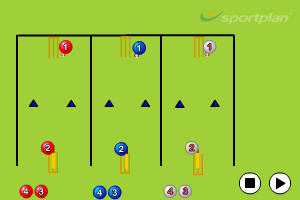
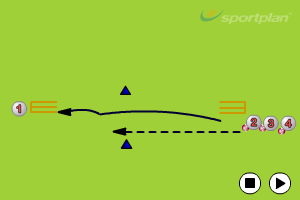
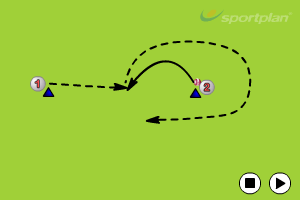
For the deeper detail on getting selection right, see our guide to cricket team selection and availability, which works through how to keep it fair across multiple sides.
Step Four: Umpires, Scorers, Teas and Transport
A team is selected, but the match still does not run itself. Saturday league cricket needs umpires and a scorer; many clubs rota the teas; away games may need lifts arranged for colts and non-drivers. None of it is glamorous, all of it is essential, and every item is another set of people to confirm during the week. Miss the scorer and your result and averages are a mess; miss the teas and you have an awkward conversation at the interval. The well-run clubs treat these as part of the fixture, not an afterthought, and confirm them on the same timeline as the side.
Step Five: Then There's the Weather
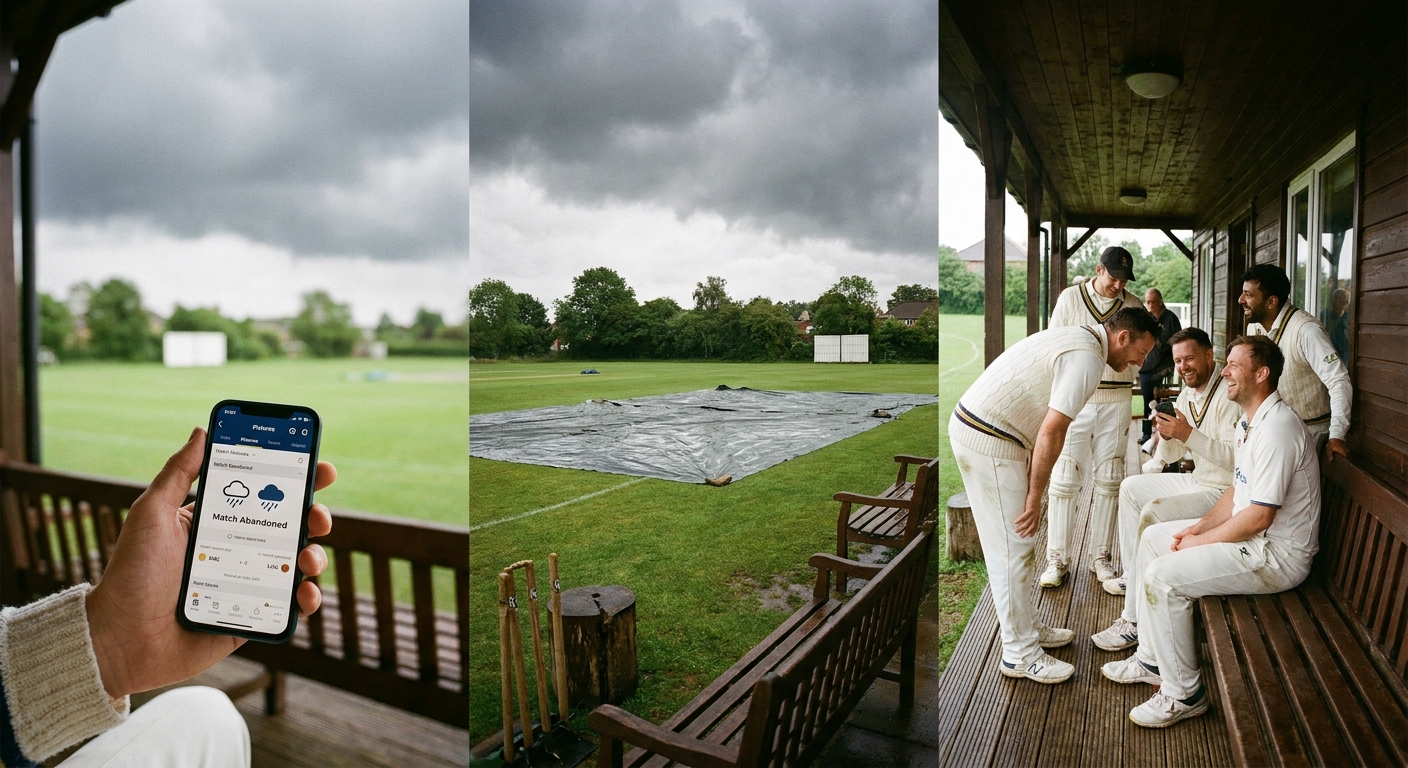
You can do all of the above perfectly and still wake up to rain hammering the square. Cricket is uniquely exposed to the weather - it needs a dry surface and reasonable light, and a wet outfield or a soaked square can make a game impossible even when the sun comes out by lunch. So the final job of the week is the one you cannot plan: watching the forecast, reading the ground, and making the call.
The skill is in the timing and the communication. Make the call too early and you have called off a game that could have started after lunch; leave it too late and you have players, umpires, scorers and tea volunteers sitting in a car park staring at puddles. The decision usually involves the opposition captain and the umpires, and it has to be relayed fast - to the whole squad and to everyone supporting the match - the moment it is made. A delayed start, an abandonment, a rearrangement: each one means a flurry of messages that absolutely have to reach the right people quickly.
Your Fixture-Week Checklist, Weather Included
- Confirm the fixture: Check Play-Cricket for the current date, venue and start time - and watch for any league or ground changes during the week.
- Open availability early: Ask the squad well ahead, ideally season-long, so players can flag clashes; chase the non-responders in the final days.
- Pick a balanced side: Top order, bowling across pace and spin, a keeper and a fielding side - balanced across all your teams, not just one.
- Arrange the support: Confirm umpires, a scorer, the teas rota and any transport for away games and colts.
- Watch the forecast: Track the weather from midweek and check the state of the square on the morning.
- Make and communicate the call: Talk to the opposition and umpires, decide promptly, and tell the whole squad and support team straight away.
- Submit the result: After the game, record the result and scorecard on Play-Cricket so league tables and averages stay correct.
Step Six: Closing the Loop - Results Back to Play-Cricket
When the game is done - or rained off - the cycle closes where it began. The result and the scorecard go back into Play-Cricket so the league table updates, the averages move, and the record is correct. An abandonment or no-result still needs recording under your league's rules, and a rearranged fixture re-enters the calendar to be managed all over again. This is the part clubs sometimes neglect, and it shows up later as wrong tables and missing averages. Play-Cricket is the ECB's system of record, so this step is not optional.
Doing It Without Double Entry
Here is the honest problem with the cycle above: the fixture lives on Play-Cricket, but availability, selection, the teas rota and the weather call all happen somewhere else - a spreadsheet, a wall planner, a group chat - and keeping them in step by hand is where the evenings go. Every venue change, every rearranged fixture, has to be retyped in two or three places, and any one of them can be the version someone misses.
This is the one place an app genuinely helps, and it is worth being specific about why. Teamo, made by the Sportplan team, is an official Play-Cricket partner, so your fixture list, time and venue changes and results sync automatically with Play-Cricket - no double entry, no retyping the fixtures into a separate calendar. On top of that genuine sync it layers the bits Play-Cricket leaves to you: season-long availability so players flag clashes months out, balanced selection across your XIs from one squad list, and instant weather-change notifications pushed to exactly the right squad the moment you make the call on a damp morning. To be fair about it: Play-Cricket remains the ECB's system of record - you still use it for results, leagues, averages and registration - and Teamo complements and syncs with it rather than replacing it. (One honest aside: Teamo is built by Sportplan, the company behind this site, so weigh that as you would any recommendation.) If you want to see how the sync works in practice, our guide to using Teamo alongside Play-Cricket walks through it.
Communication Is the Whole Game
Strip the season back and almost every fixture problem is really a communication problem: the start time that changed, the availability that was never chased, the rain-off message that reached half the squad. Get the messaging right - the correct people, the right information, fast - and the rest of the cycle becomes manageable. Our guide to cricket club communication covers how to keep a squad informed without burying the important notices in chatter, which on a wet Saturday morning is the difference between a clean call and a car park full of confused players.
When the admin runs itself, the time goes back where it belongs - into coaching and playing. Browse the full Cricket drills library for hundreds of practices sorted by skill, so the side you have worked so hard to select turns up ready.
Frequently Asked Questions
How do cricket fixtures work?
In England and Wales, league and friendly fixtures are organised through the ECB's Play-Cricket platform. Your league sets the season's fixture list, which appears on your club's Play-Cricket site with each match's date, opposition, venue and start time. Saturday league cricket is typically an all-day commitment, with some clubs also playing on Sundays. Across the week a captain confirms availability, picks a balanced side, arranges umpires, scorers, teas and transport, and after the game submits the result and scorecard back to Play-Cricket.
What is Play-Cricket?
Play-Cricket is the England and Wales Cricket Board's official online platform for clubs and leagues. It holds the fixture lists, results, league tables, batting and bowling averages, player registration and club admin. It is the ECB's system of record - clubs must use it for results, leagues and registration - so any fixtures or results you keep elsewhere should match what is on Play-Cricket, not replace it.
Can I sync Play-Cricket fixtures automatically?
Yes. Official Play-Cricket partner apps can pull your fixture list, time and venue changes and results through automatically, so you are not retyping the same information into a separate app. Teamo, made by the Sportplan team, is an official Play-Cricket partner and syncs fixtures and results with Play-Cricket, then layers season-long availability, selection and instant weather notifications on top. Play-Cricket remains the ECB system of record; the partner app complements and syncs with it rather than replacing it.
How do I handle a rained-off cricket match?
Check the forecast and the state of the square early, talk to the opposition captain and umpires, and make the call as soon as you reasonably can rather than leaving players sitting in a car park. If the match is abandoned or cannot start, follow your league's rules on points, results and rearrangements, then record the outcome on Play-Cricket. The most important practical step is communicating the decision quickly to the whole squad - and to scorers, umpires and tea volunteers - so nobody travels for a game that is off.
How far ahead should I collect cricket availability?
Because a Saturday or Sunday game can swallow most of a day, players need plenty of notice. Many captains open availability for the next few weeks well ahead and chase the stragglers in the days before the match. Collecting it season-long - so players can flag holidays and clashes months out - makes balanced selection far easier and reduces the Thursday-night scramble to field eleven.