
























Thanks to Sportplan and their coaching tips, I can now coach with greater confidence and enthusiasm.

I chose some session plans and saved them to my clipboard but how do I find my saved clipboards?

Canât work it out how you do a session plan Asked using Sportplan Mobile App
hello, since I bought the full version, I cannot see where the clipboard is. I would like a clipboard to drown my own drill.
How do i copy drills into a folder
How do I add a drill to clipboard or session plan
How do I make a plan?

how do i transfer drills from my clipboard to my plan
I have created a clipboard and now need to know how to share with my colleagues at School. Can you assist me with this?Thanks, Nao
how do I send a drill on clipboard to my team
Previously used this app and as I'm coaching again this season I've started using it again, previously never had much of an issue creating different training sessions.However, it seems now it is only possible to save exercises to your clipboard before then having the clipboard appear in your folders (which it has also disappeared for some reason for me)Ultimately the above makes for a really poor user experience where I get frustrated I can't just create a new session each week and place drills in that session. I like having a resource to view potential drills, etc but the above stops me being able to actually use it during a training session.More of a comment than a question but wanted to give my feedback.
How do. I add a drill to a session plan

how to create a new clipboard
Is there any way of adding plans to my clipboard in the same way as drills are added to my clipboard?
is there a way I can move a drill from the clipboard to a folder I created.

how can I add drills to folders?
how do i add drills to my clipboard
How do I add a drill to clipboard or session plan
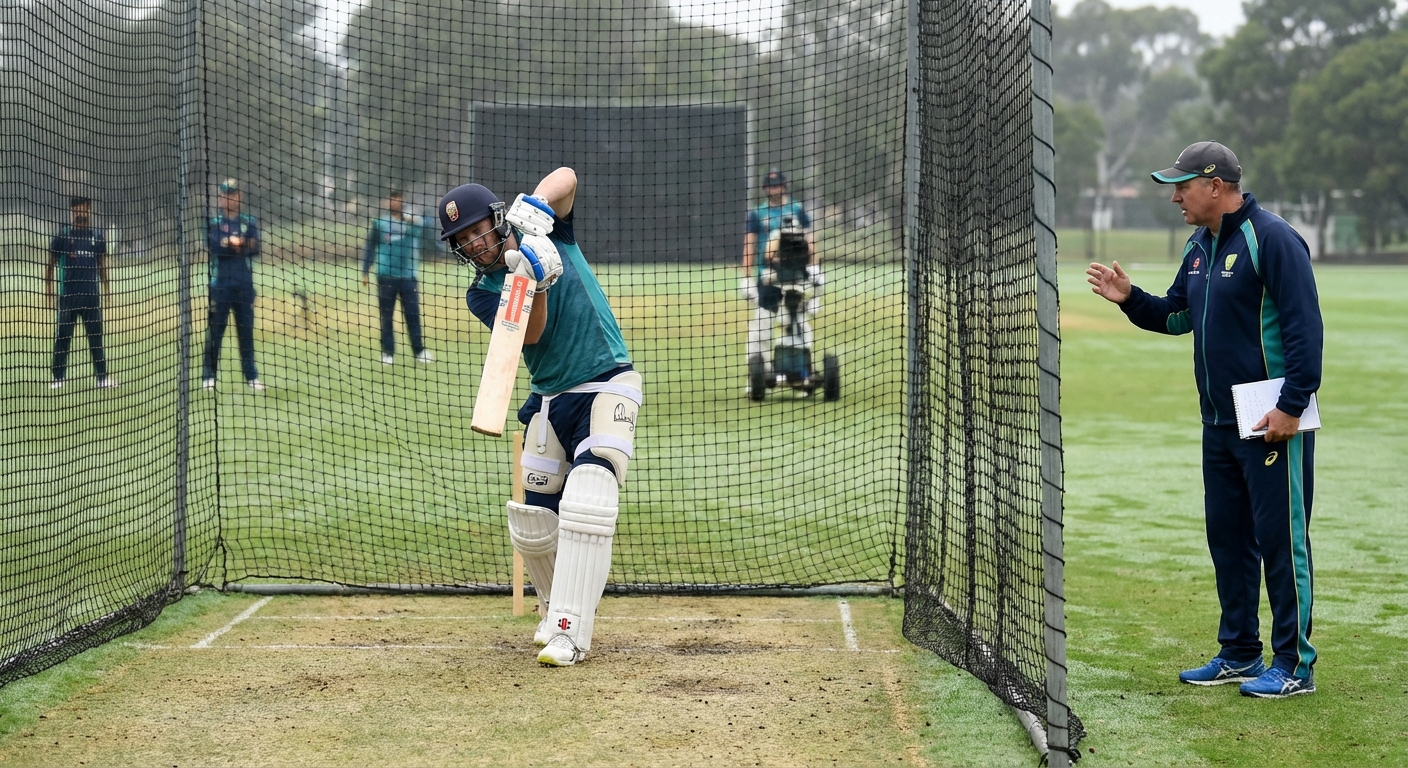
Pre-season is the best time to rebuild and refine batting technique without the pressure of match results. This article covers the fundamental batting positions that underpin consistent run-scoring, provides a progressive session framework from shadow batting to live bowling, and highlights the common pre-season mistakes that coaches should avoid.

Fielding placement in limited overs cricket is a tactical chess match that changes with every phase of the innings. This article breaks down how captains should set fields during the powerplay, middle overs, and death overs, and provides practical coaching sessions for developing game-aware fielders who anticipate rather than react.

With IPL 2026 starting this month, we break down the art of powerplay bowling - field placement, line and length, and how to turn the fielding restrictions to your advantage.
Coaches from around the world look to Sportplan for coaching confidence.
Thanks to Sportplan and their coaching tips, I can now coach with greater confidence and enthusiasm.
Cricket Coaching is a learning process and Sportplan is doing a terrific job which really helps coaches to improve the quality of their coaching.

"Sportplan is providing me with all of the new dimensions of coaching ideas that suit and help me in executing the programmes in a results oriented manner."

Wow what a great website, I have found sportplan an important tool for me when planning my netball sessions with my netball team. There are alot of very helpful tips/ideas/skills that I can learn and teach to my team. Thank you sportplan I hope to continue to use your helpful tips and to learn more about improving my teams netball skills. Thanks again....keep it up....

I have been using Sportplan now for 3 years and can honestly say that I have never repeated the same session twice. My girls are always focused and are improving every year. Thanks Sportplan.
What a fantastic tool. The Chalkboard and session tools make an unbelievable difference in making training plans in both time and organization. I will be instructing all of my assistant coaches that this tool must be used for all sessions during the season, so that we may build a club coaching resource library.
I can't get enough of the Sportplan, It has given me back the enthusiasm i was starting to lose. My girls are so keen and are ready at 14 to take the next up in their game. Sportplan will help no end.


Register for FREE and get coaching tips, top drills, session and more every week!

