

September 2017 - What's new?
Check out the great new features we've added this month, thanks to your recommendations:
- Managers/Captains can set player availability.
- Assign non-playing roles to certain members.
- Share fixture details via Facebook, Twitter and more!
- Collect match fees and membership payments from your players.
- Managers can now add non squad members to fixtures.
- Players can now see who else is available for upcoming fixtures.
- Support chat is now available for all users.
- Create a separate, second club with teamo.
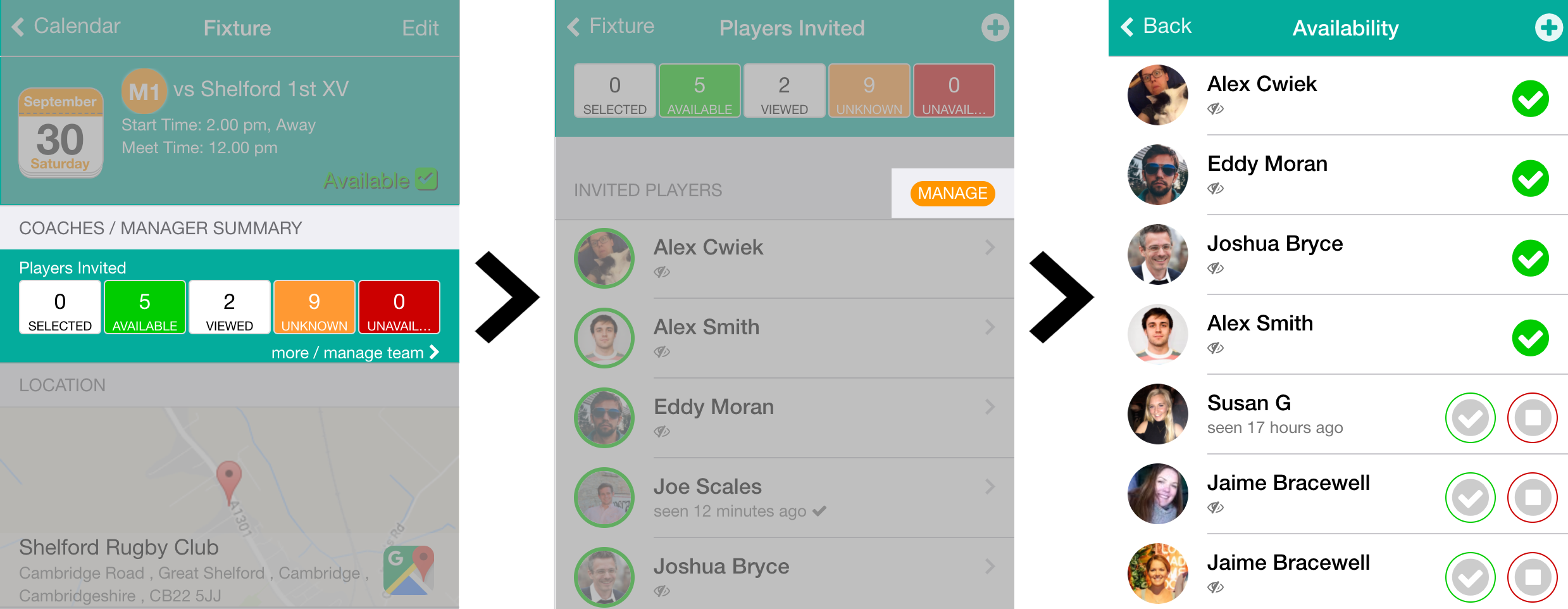
Managers/Captains can set player availability
Many of you have been asking for the ability to edit player availability for fixtures on their behalf - this feature is now available.
To do this go to any fixture, open the Manager Summary and tap on the new manage button.
Assign non-playing roles to certain members
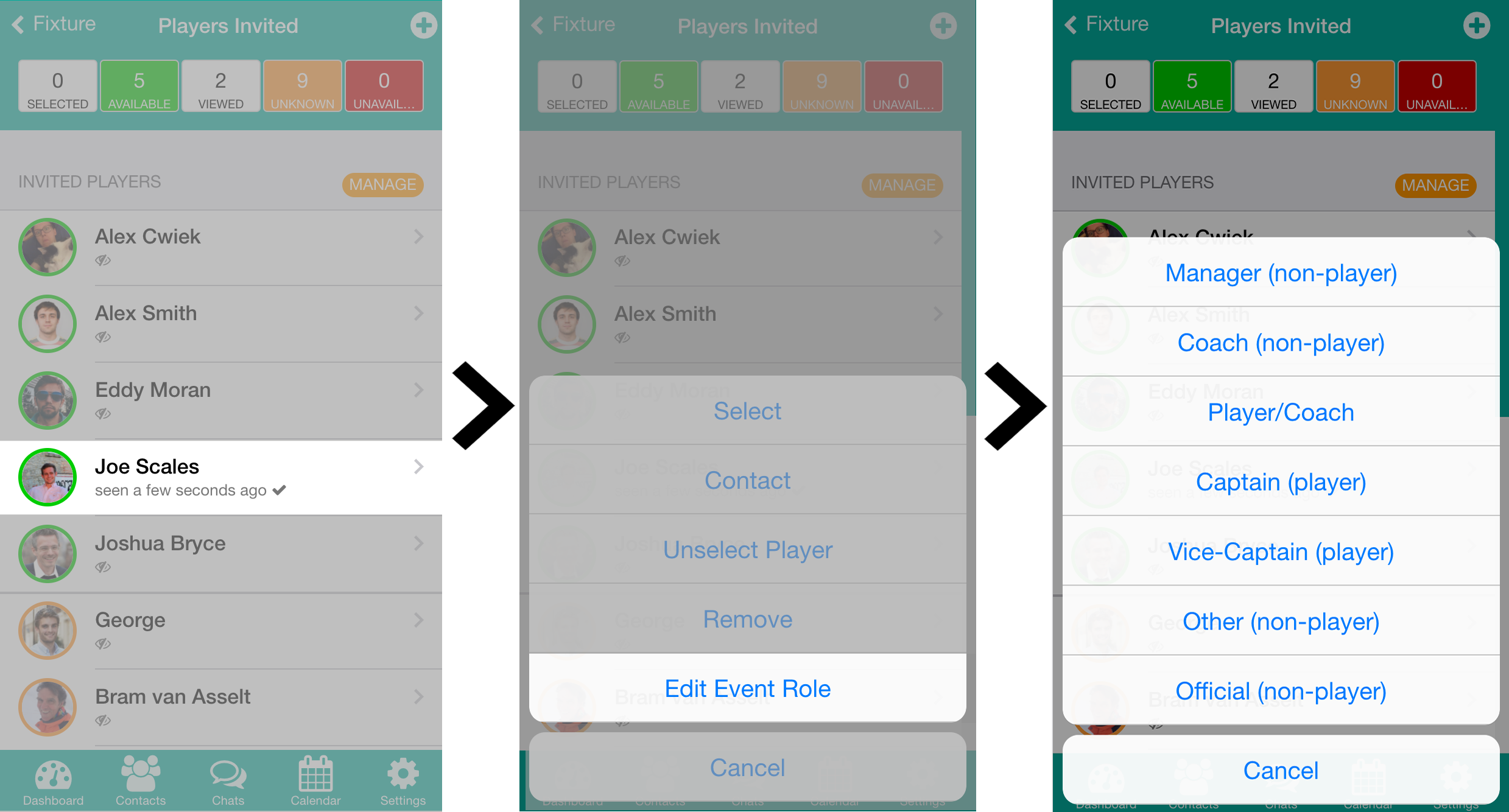
Do you have members, such as the coach, who you don't want to contribute to the number of available or selected players? Simply mark them as one of our non-playing roles.
From your list of available players in the managers summary, tap on any player to Edit Event Role. You can then change their role for just one game or for the season!
Share fixture details via Facebook, Twitter and more!
Looking to keep all of your club supporters and members in the know about upcoming fixture details?
You can find the Share Fixture and Team button at the bottom of any fixture in your Calendar.
Collect match fees and membership payments
Your players can now pay for match fees and memberships with the tap of a button. You can also mark off cash payments to give your treasurer a complete record of club accounts.
Check out how to set up teamoPay here or read more about this new feature.
Managers can now add non squad members to fixtures
Often find yourself short of players on match day? You can now invite players from different squads to play in your next fixture.
Again, simply open any fixture, open up the Manager Summary and tap the plus in the top right hand corner.
Players can now see who else is available for upcoming fixtures
All players can now see who is available for upcoming fixtures with their new availability button on any fixture page.
Don't worry though, they are blocked from seeing all reasons for unavailability.
Support chat is now available for all users
Quick link to chat with our support team now found on top of the chats page for all members!
Have any problems or feedback, feel free to message the team! They'd be happy to help.
Create a separate, second club with teamo
All members now have a Create new teamo club section in their Settings.
Is there a feature you and your club think would be helpful? Please feel free to email support@teamo.chat or fill out a feedback form.